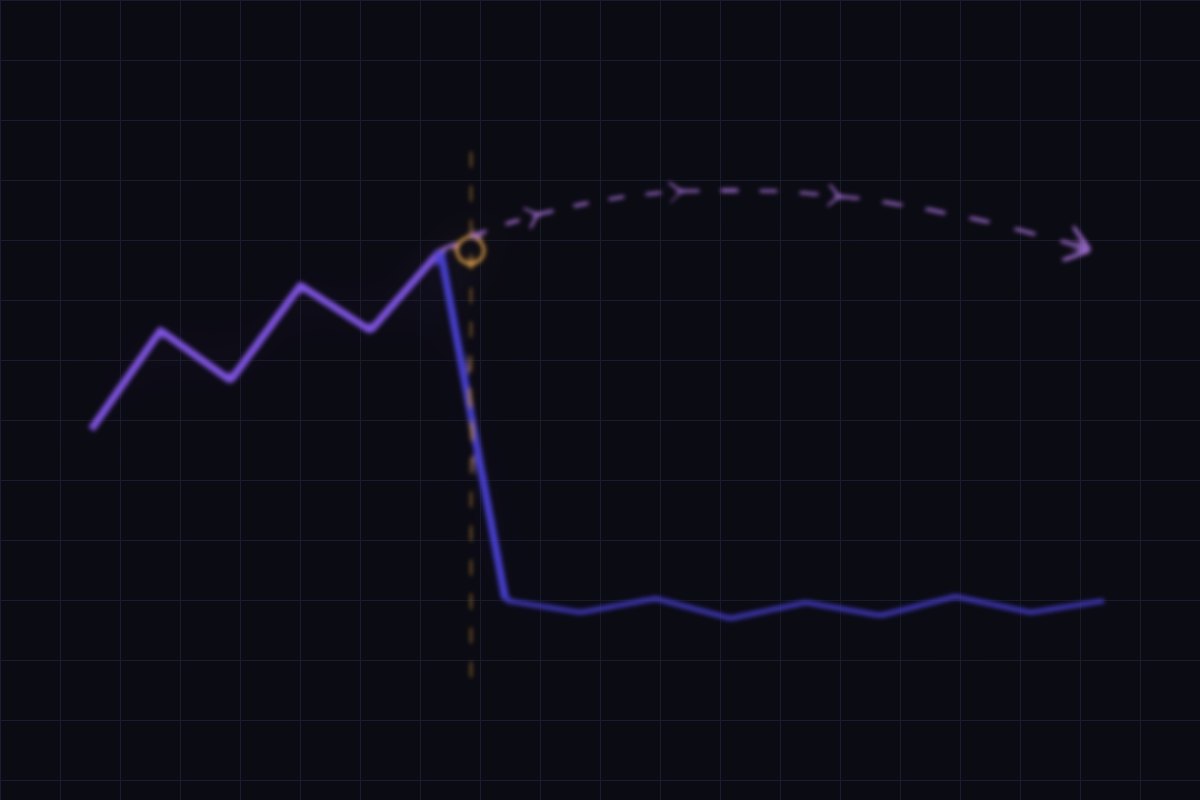
The honest answer: the rebuild isn't what hurts you
Rebuilding your site is usually a good idea. Old agent sites are slow, unstructured, and invisible to the systems that now decide who gets recommended. The risk isn't the new design — it's the migration, the unglamorous work of making sure everything the old site earned carries over to the new one.
Search engines don't rank "your website" as one object. They rank individual URLs, and each one accumulates its own signals over time — links pointing to it, its history, its crawl record. When a rebuild changes or deletes a URL without telling anyone where it went, those signals don't transfer. They're just gone, and the new page starts from zero.
That's the whole story. Everything below is the specific ways it happens.
The seven ways a rebuild loses your traffic
- No redirect map. The single biggest cause. Old URLs simply stop existing and return a 404. Every link, ranking, and bookmark pointing at them dies at once. The fix is a 301 permanent redirect from each old URL to its closest equivalent on the new site — which someone has to actually write out, page by page.
- Redirecting everything to the homepage. The lazy version of a redirect map, and it doesn't work. Google treats a mass redirect of unrelated pages to the homepage as a soft 404 — functionally the same as deleting them. Each page needs its own destination.
- Content that quietly didn't move. The new design is "cleaner," so the forty neighborhood pages and sixty blog posts don't make the cut. Those pages were the site's entire claim to local relevance, and the design conversation rarely surfaces the fact that they're being deleted.
- Staging settings shipped to production. A
Disallow: /left in robots.txt, or anoindexmeta tag from the staging environment. Catastrophic, invisible in the browser, and far more common than anyone admits — the site looks perfect and is instructing search engines to ignore it. - Structured data not rebuilt. Schema markup is invisible to humans, so it's the first thing a redesign drops. It's also how machines — including AI assistants — understand who you are and what a page is about. We walk through the markup agents need separately.
- Internal links pointing at dead paths. Body links written against the old URL structure now resolve to 404s, which both frustrates readers and severs the link graph that spreads authority across your pages.
- Content moved behind JavaScript. A prettier build often renders text and listings client-side. If the words only exist after a script runs, they may not be reliably indexed — and a site whose content can't be read is a brochure, not a search asset.
How to tell it already happened to you
Look at the shape of the graph, not the size of the drop. This distinction diagnoses the problem faster than any audit:
- A cliff — traffic falls off within days of launch and then stays flat at the new low — is a migration failure. Something structural broke on a specific date. Flat-and-never-recovering is the signature: organic traffic doesn't heal on its own when the URLs are still broken.
- A slope — a gradual decline over months — is competition, an algorithm update, or seasonality. Different problem, different fix.
To confirm a migration failure, open Google Search Console and check three things: the Pages report for a spike in "Not found (404)" starting at your launch date; Why pages aren't indexed for anything reading "Blocked by robots.txt" or "Excluded by 'noindex' tag"; and your top pages from before the launch, to see whether those specific URLs still resolve. Google's own site move documentation is the reference for how this is supposed to be done.
Before you approve a new site: ask for the redirect map
If you take one thing from this article, take this. Before signing off on any rebuild, ask the builder for a URL-by-URL redirect map — a plain spreadsheet with every existing URL in one column and its destination on the new site in the other.
It's a completely reasonable request and it's diagnostic in both directions. A team that plans migrations has one, or can produce it in a day. A team that can't isn't planning a migration at all — they're planning a launch, and your rankings are about to be collateral damage nobody warned you about.
The rest of the pre-launch list is short: confirm which existing pages are being kept versus deleted (and say no to deleting content that ranks), confirm schema is being rebuilt rather than dropped, and confirm someone will check robots.txt and the meta robots tag on the live site within an hour of launch. This is also worth asking about before you choose a builder at all — see our guide to agent websites and the company comparison.
Launch week: the first 72 hours
- Check robots.txt and the meta robots tag on the live domain. First thing, before anything else. This is the one failure that makes everything else pointless.
- Spot-check your old top URLs. Take the ten pages that got the most traffic before launch and load each old address. Each should land on a relevant new page, not a 404 and not the homepage.
- Submit the new sitemap in Search Console, and ping the new URLs to Bing and other engines so they re-crawl quickly rather than waiting.
- Watch the 404 report daily for two weeks. Migration mistakes surface as a rising 404 count, and every day one goes unfixed is a day those pages are treated as gone.
- Expect some fluctuation. Even a well-executed migration usually sees a modest dip for a few weeks while engines re-crawl and re-evaluate. A dip that recovers is normal; a cliff that flatlines is not.
If it already happened: the recovery order
The good news is that this is usually fixable, and the signals often come back. The order matters, because steps two through five are wasted effort if step one is still broken.
- Unblock first. Remove any blocking robots.txt rule or stray
noindex. Nothing else can work while these are in place. - Build the redirect map you never got. Pull your pre-launch top pages from Search Console or analytics, and 301 each old URL to its closest match. Where there's no equivalent, redirect to the most relevant category page — not the homepage.
- Restore the content that vanished. If neighborhood pages or articles were deleted, republish them — ideally at their original URLs, which lets the old signals reattach directly. Our neighborhood page explainer covers why those pages carry so much of an agent's local relevance.
- Fix internal links so they point at live URLs rather than relying on redirect chains.
- Rebuild the schema and re-check on-page fundamentals — titles, headings, alt text — since redesigns frequently flatten them.
- Resubmit and wait. Submit the sitemap, request indexing on the important pages, and give it time. Recovery is typically weeks to months, not days, and it's rarely instant even when every fix is correct.
One honest caveat: recovery isn't guaranteed to be complete. Signals that sat broken for a long time can take a long while to return, and some may not fully. That's the argument for getting the redirect map before launch rather than reconstructing one afterward — and it's a large part of why our builds treat migration as part of the project rather than an afterthought.